Limit the Amount of Updates the Show in the "Updated Pages / New Pages" And Other Like Sections in Pro Reports
For Pro Reports PDFs, we need a way to limit the amount of page updates that show.
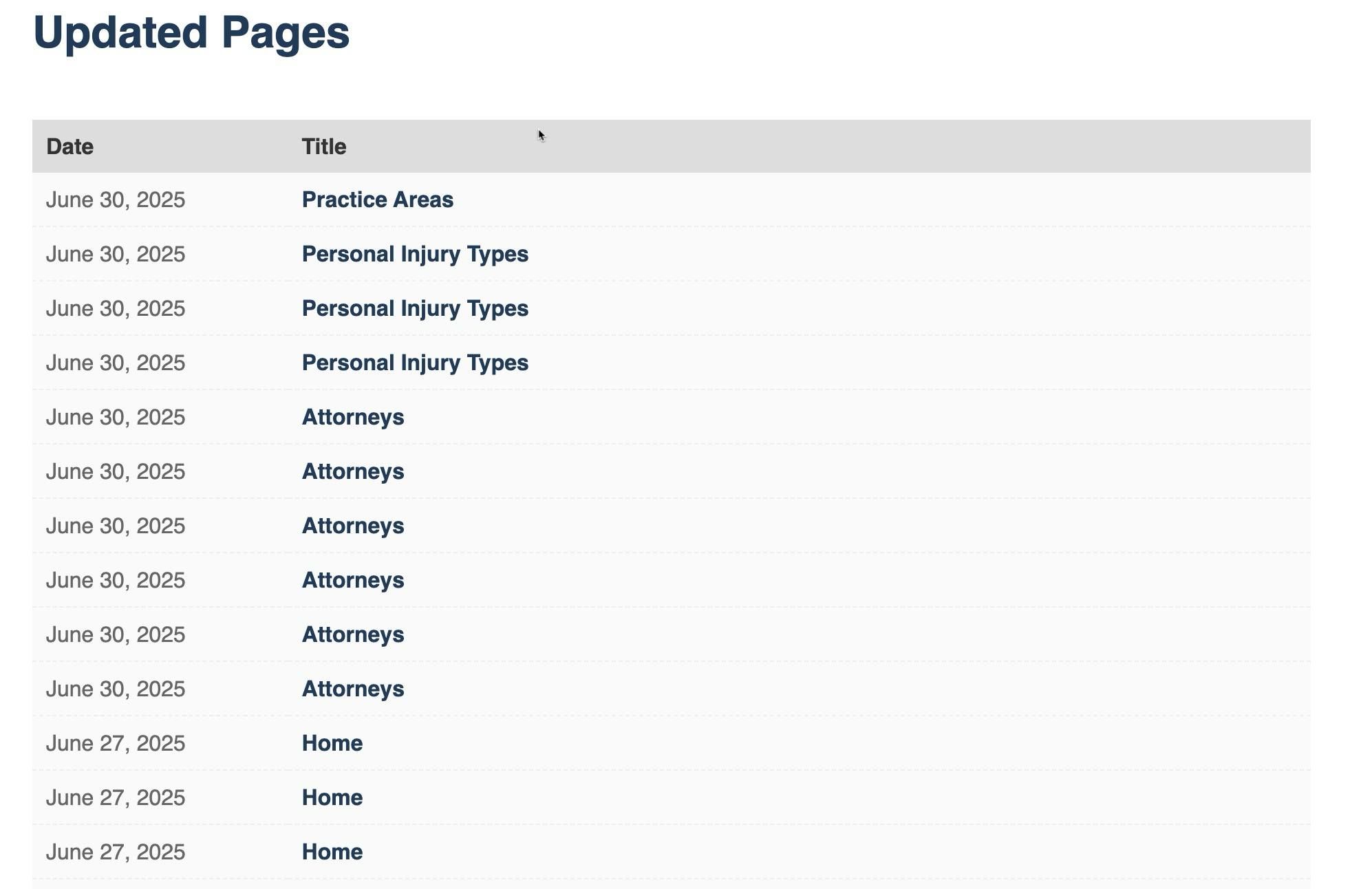
What I mean is, for the section that shows updates to pages, it shows each and every update that ever took place. So let's say I'm working on a client's page and saved it 3 times in a single day, that's how many times it's showing in the report for that one day.
- Ideally it would be nice to just show it one time for a single day, even if it was saved multiple times that day.
- O
r at the very least, show it one time with the date and maybe put next to it "(## - Updates)" showing the actual number of updates instead of multiple lines. Any ideas
This is a screenshot of the "Updated Pages" section of my pro report. The same thing also happens in the "New Pages" section of the report as well.
(This was a request we asked in the FB group already recently, but was told by the team there isn't an out the box way to achieve this as of now.)
Log in to comment and vote
Comments1
John
Jul 17, 2025
I swear this post didn’t look like this before I hit send, really wish there was an edit button
😆